Load your read
Create a project from your ECU file. MasterX searches for the ECU identity and associated catalogue.
THE PLATFORM
From ECU identification to a file ready to write: automatic solutions, performance, editing, checksum and originals, in the same project.
THE NEW WORKFLOW
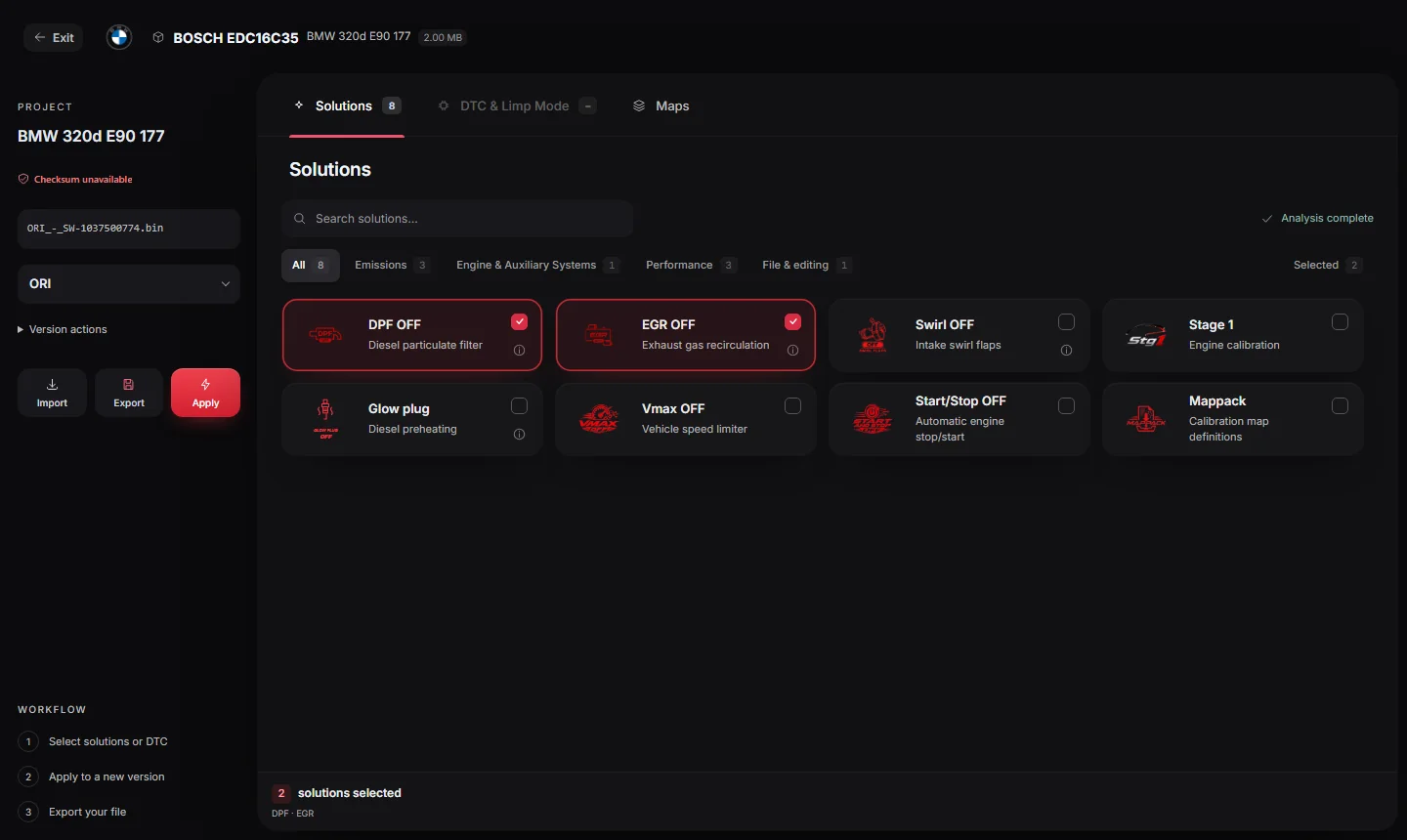
Move from identification to solutions and map editing without losing the context of your project.
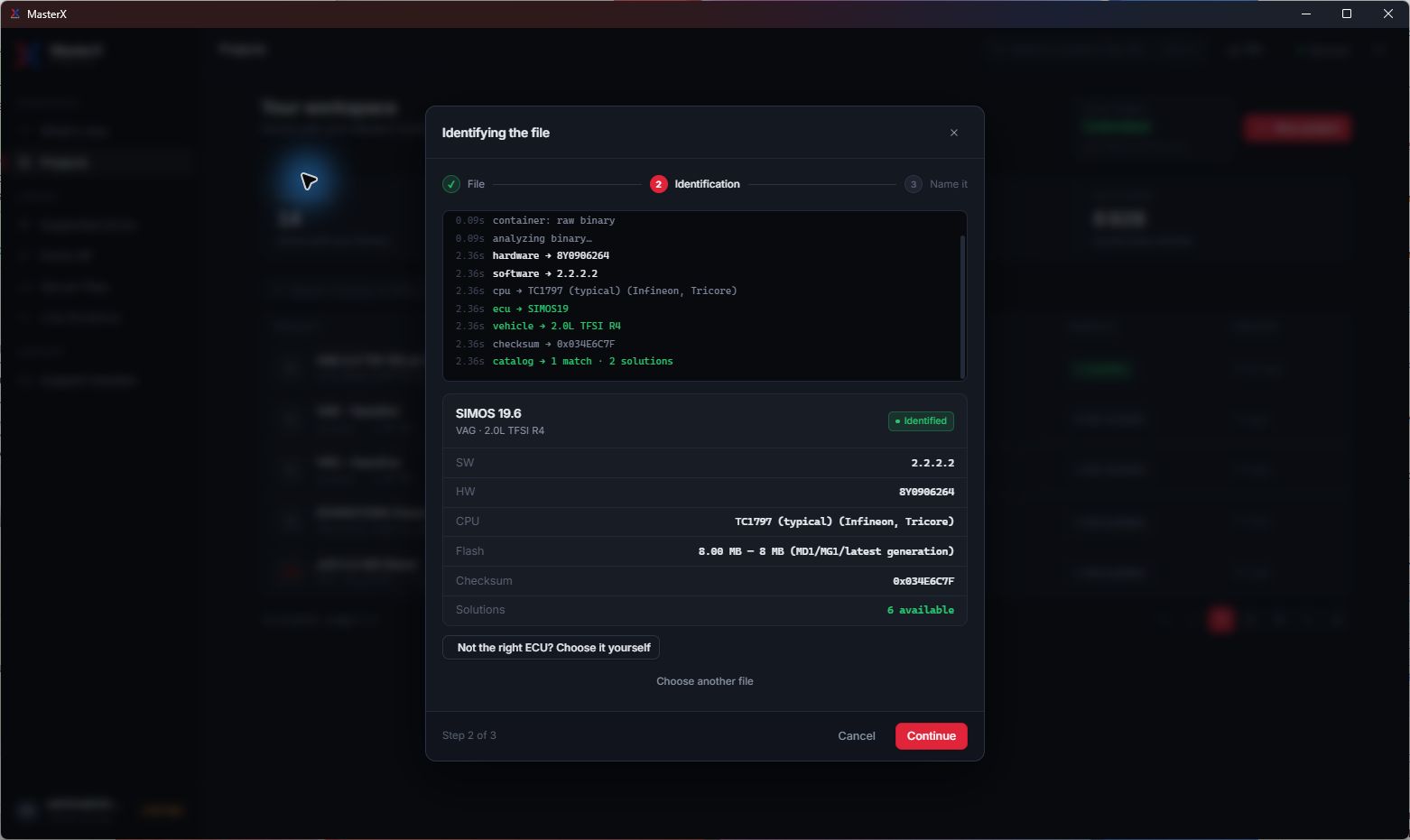
Create a project from your ECU file. MasterX searches for the ECU identity and associated catalogue.
The analysis distinguishes available solutions, unsupported operations and checks that need attention. Availability depends on the actual file.
Explore the maps, prepare your settings and review your selection before applying and exporting.
MORE CONTROL
The latest workspace brings automatic solutions, map recognition and dedicated settings into the same interface. Module availability varies by ECU and software version.
Browse recognised maps by function: injection, rail pressure, torque, limiters and more. Inspect their values in the editor.
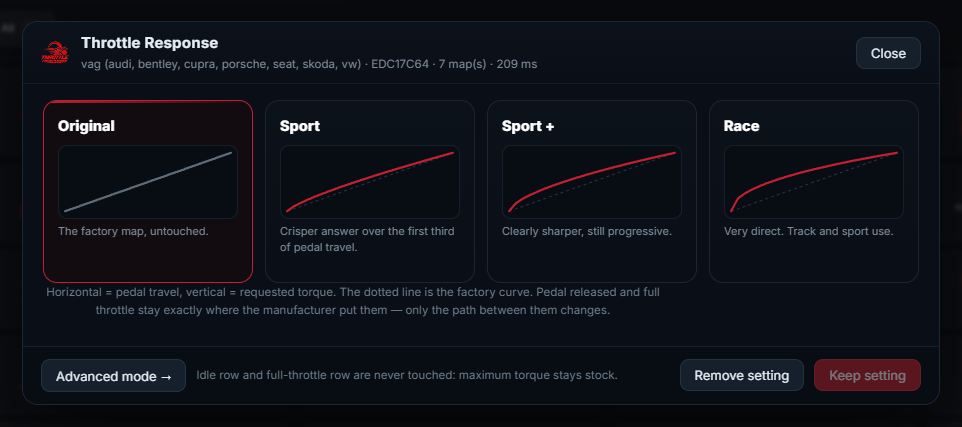
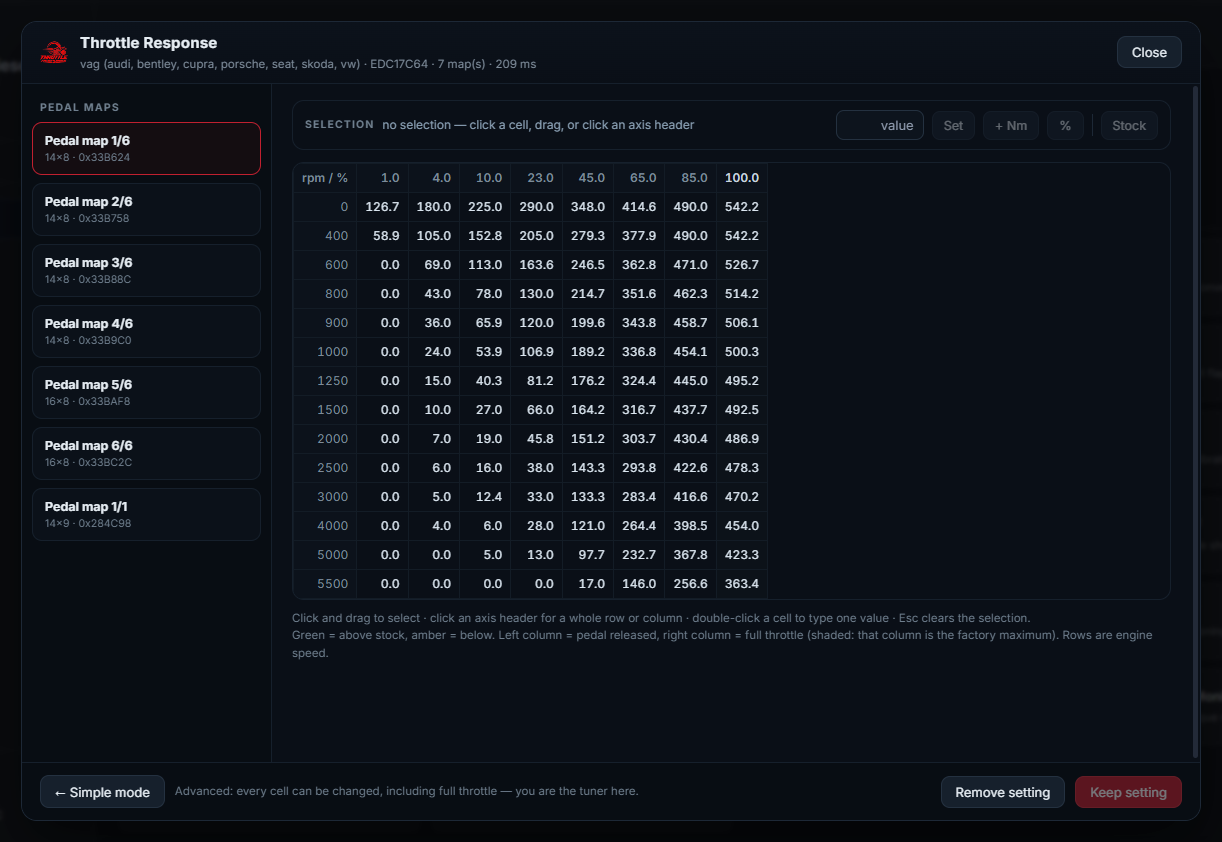
Compare Original, Sport, Sport+ and Race pedal-response profiles, with an advanced mode for inspecting the tables.
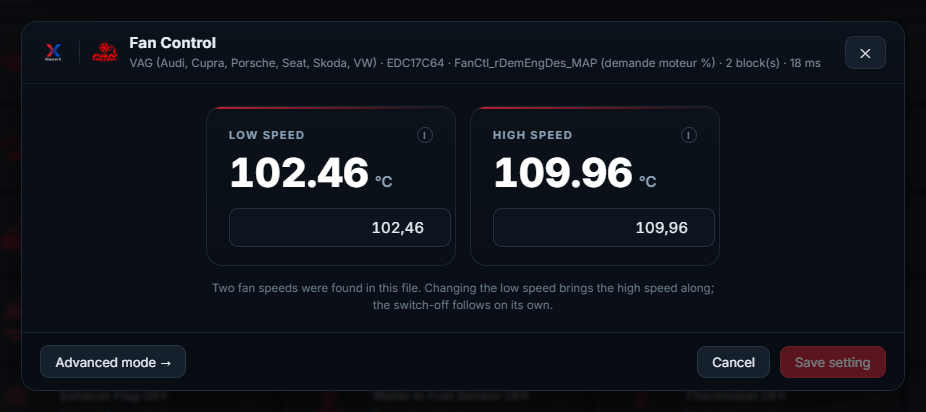
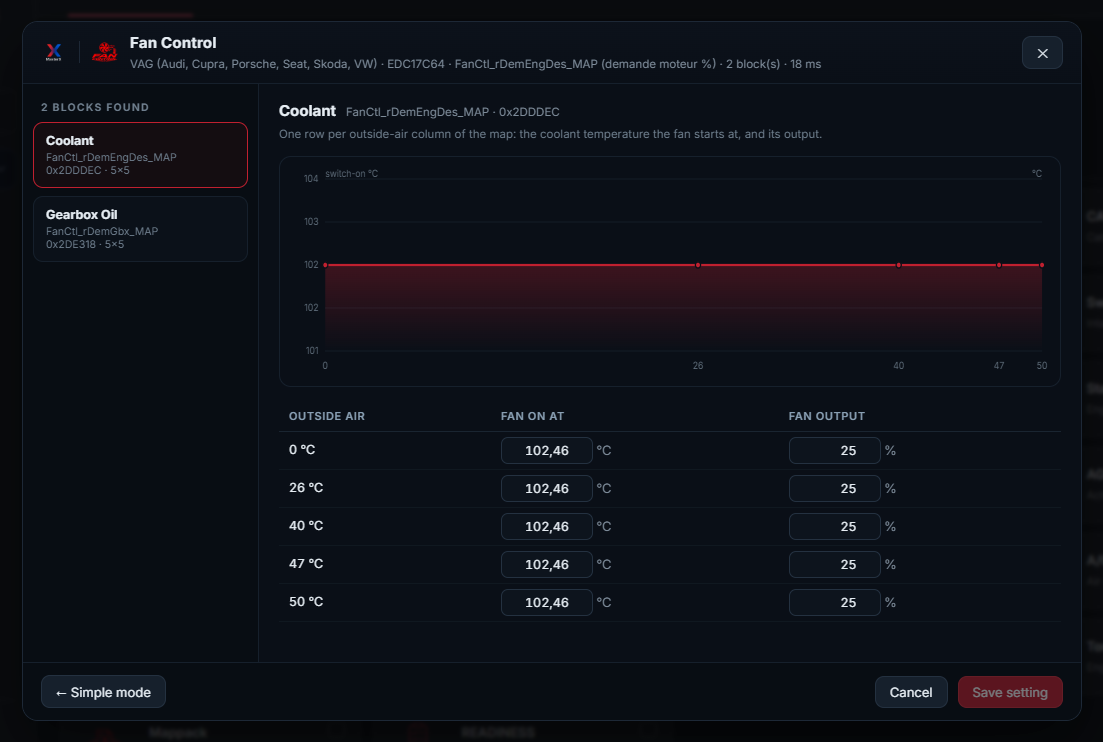
View the detected fan thresholds and prepare the cooling settings from the values in your file.
Speed limiter removal: the limiter is recognised by the role of the values around it, never by a stored address. On an ambiguous file, the tile stays off.
Start & Stop switched off from profiles measured on real original files. Each operation keeps its own compatibility checks.
Immobiliser switched off on the flash, on the EEPROM, or on both in one pass. The supported list gives the method for each ECU.
NEW · ENGINE & AUXILIARY SYSTEMS
Each module is offered from the fault codes identified in your file and the associated Limp OFF. Open the project, review the modules detected for your ECU and software version, then apply.
Availability depends on the loaded file, the ECU and the software version. The modules are grouped in the project and in the supported ECU list, under Engine & Auxiliary Systems.
See them in the supported list →FILE IDENTIFICATION
MasterX reads the binary and presents the detected ECU, hardware and software identifiers, memory size and matching catalogue. Confirm the result before continuing; you can correct the identification manually.
STAGE 1 / STAGE 2
Stage availability is checked against the loaded file. Review the compatibility result and the reference power and torque figures before making your selection.
Automatic preparation on compatible files, with availability shown in the Solutions panel.
Additional performance solutions on the supported ECU and software combinations.
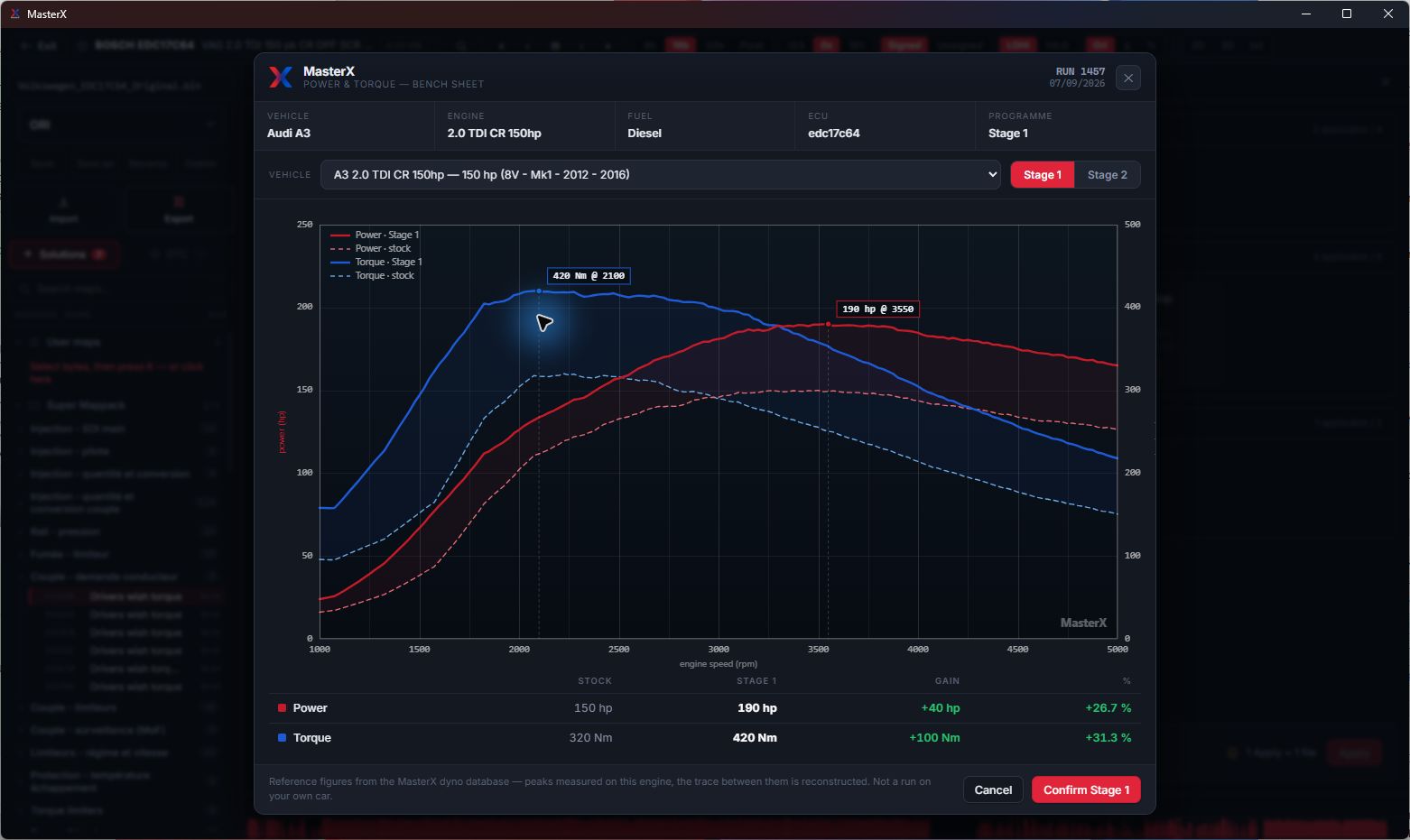
VIRTUAL DYNO
Compare stock and stage reference curves for the selected engine. The virtual dyno uses the MasterX reference database; it is not a measurement of the vehicle whose file you loaded, or a guarantee of its result.
Automatic DTC recognition
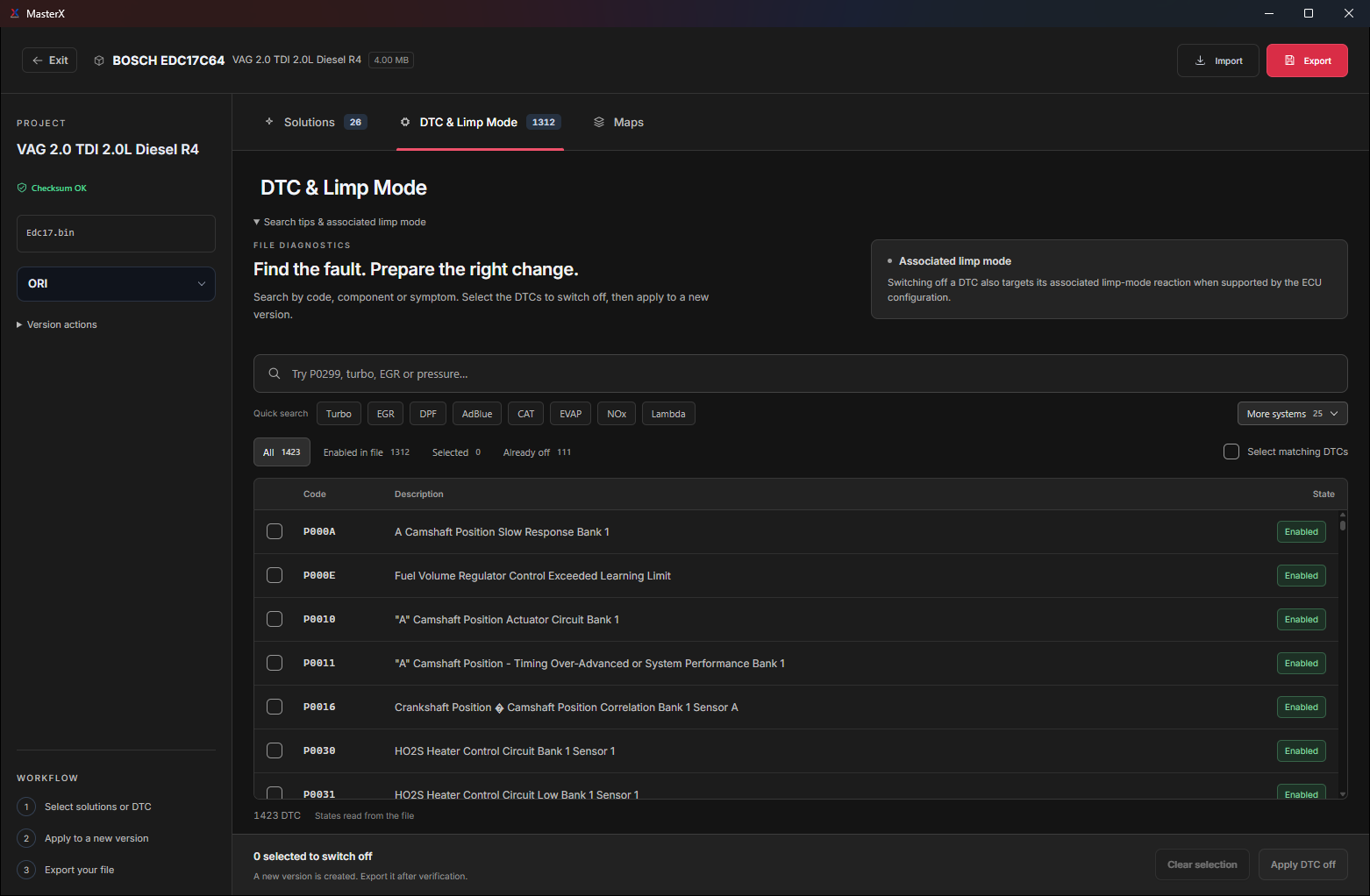
The public DTC list dated 18/09/2026 covers 730 ECUs across 64 brands. Available codes and functions depend on the tables recognised in the loaded file.
DTC recognition can provide related operations for systems such as NOx, EVAP, flaps, TVA, Lambda, MAF and Torque Monitoring when the corresponding tables are identified. Check the result on your file.
The whole supported list is public and searchable: every ECU, every brand, every solution it can run, dated 13/10/2026.
FAN CONTROL
Inspect low- and high-speed thresholds in a dedicated panel. Advanced mode lets you explore the underlying settings when supported.
SUPER MAPPACK & MAP EDITOR
Find a function in the Super Mappack, open its table and inspect the 3D surface. Keep the binary overview, addresses and map families together as you work.
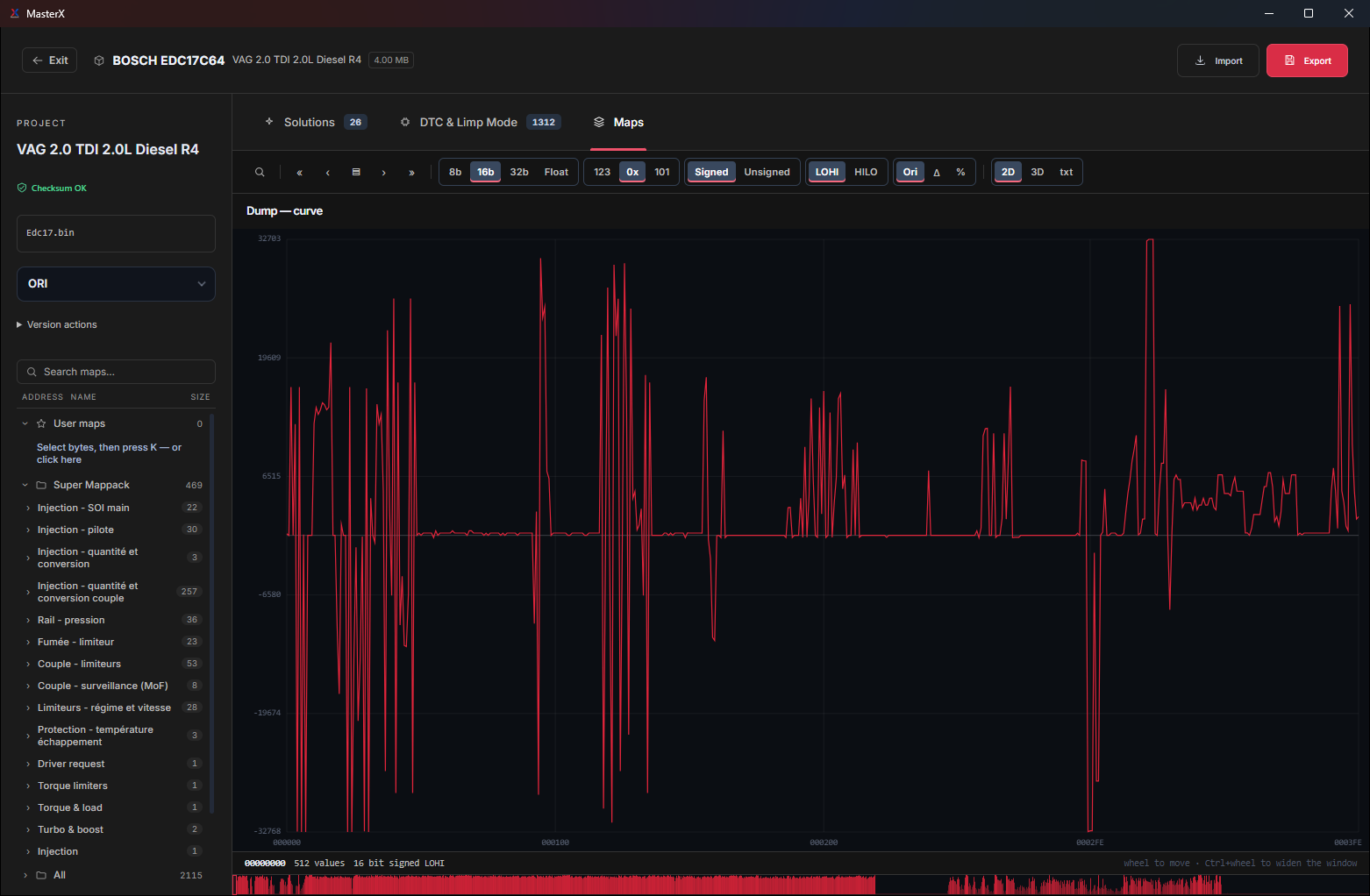
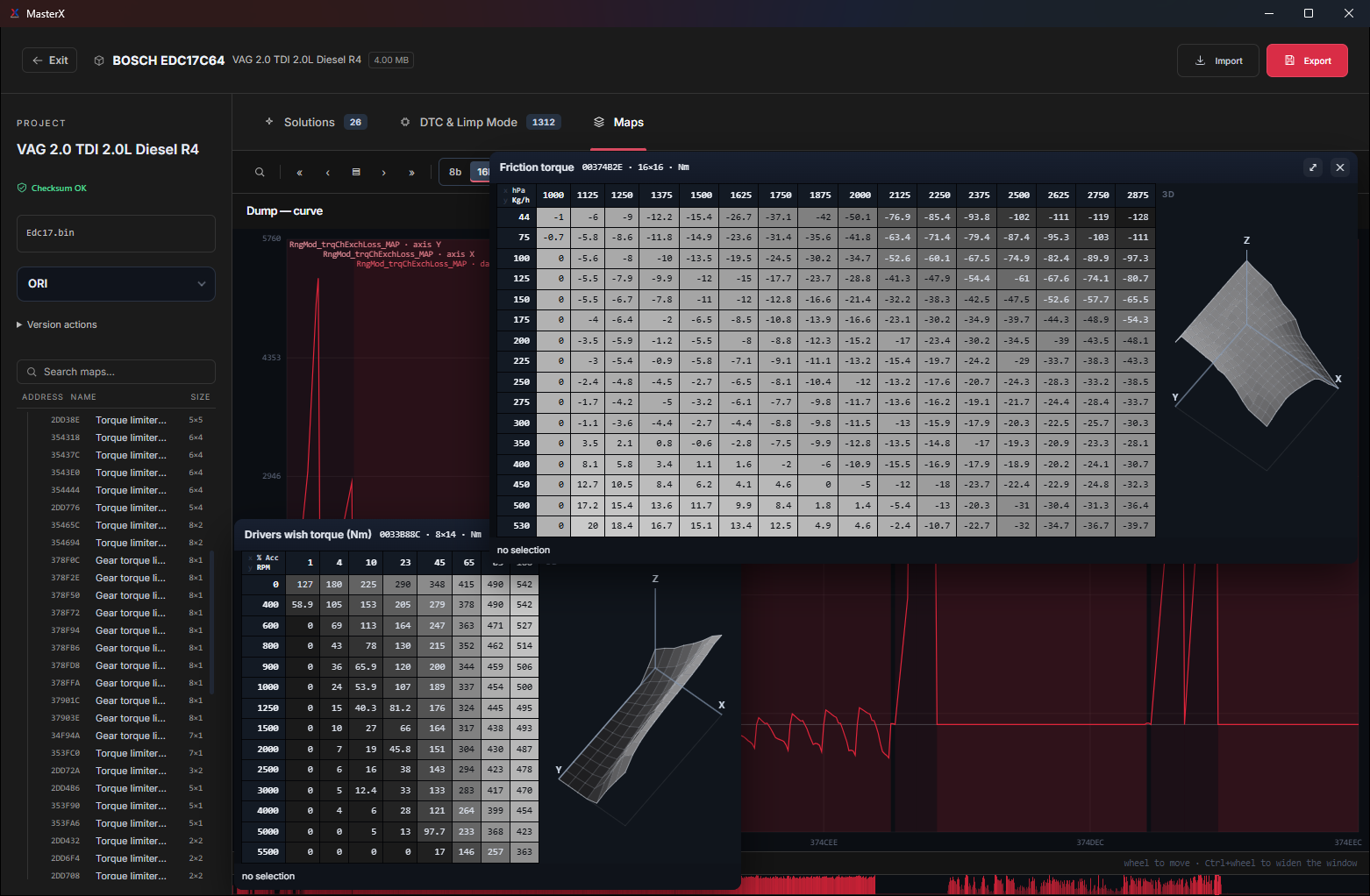
Browse categories and search by map name. Separate recognised maps from potential maps that need further inspection.
Switch between the value curve, hexadecimal view, map table and 3D surface.
Keep the original as a reference and manage your work within the project.
AUTOMATIC CHECKSUM · MASTERX 123
Open your project: MasterX examines the binary and finds the applicable checksum module on its own. Bosch MD1 is part of the expansion.
Automatic correction included in Annual Plus and Ultimate Plus. Coverage is matched to the MasterX catalogue; each file’s compatibility is confirmed by the analysis.
SERVER FILES · MASTERX 135 → 141
Server Files brings together 246,126 original files. Browse them by manufacturer and ECU / TCU family, search an exact SW or HW reference, or simply drop your own file.
A reference match alone does not certify that a file is an original. Some listed files remain unavailable while they are being uploaded; downloads follow the daily quota shown in the app.
IN THE WORKSHOP
The latest versions mostly change the daily work: faster analysis, solutions that combine without cancelling each other, and a clear report with every exported file.
DTC signature scanning runs on a native engine that uses every processor core: up to 20× faster, with exactly the same codes found.
DPF, EGR, Stage, Pops & Bangs: everything applies in one pass. The most specific solution has the last word and every overlap is recorded; nothing is cancelled silently.
MasterX locates the maps of your own file by their content rather than by a fixed address, and its solution profiles are checked byte for byte against reference files. Stage 1 applied in 1.4 s on a Golf EDC17C64.
The binary goes into its own folder with README_MasterX.txt: for each solution, what to unplug, or that there is nothing to unplug.
English, French, German, Spanish, Arabic, Turkish, Chinese and Russian. The exported notice follows the chosen language.
Projects, versions and the original file are saved on the server: open them again on your other computer, nothing to copy.
LIVE SOLUTIONS
Find updates, discussions and community feedback in Live Solutions. Technical assistance is available on Plus plans under the conditions shown on the licence page.
Keep track of new functions and published improvements.
Share suggestions and report issues from the application.
Find conversations around ECU families and solutions.
The rest of the platform
MapX detects and identifies calibration maps inside supported ECU files. Structured table, dyno-style HP and Nm curves, manual and automatic editing, and Stage generation straight from the results.
Browse the original-file library by manufacturer, ECU / TCU family or SW / HW reference, or drop your own file to find its original from its content. Requests for manual Restore ORI processing are included on Plus plans, subject to the supplied file and available references.
With Annual Plus or Ultimate Plus, submit manual processing requests through Support Solution. Support usually answers within minutes on Ultimate Plus, and within hours on Annual Plus under normal conditions. Maximum time for support and manual processing: 48 h on Annual Plus, 24 h on Ultimate Plus, in calendar hours, 7 days a week, for a complete request and a usable file. Annual and Monthly include no technical support and no manual processing: no manual file processing, no manual stage, no Restore ORI. Payment, delivery and account-access questions are answered by email on every plan.
Hardware
MasterX works on the file, not on the wire. Whatever you use to read and write the ECU, the dump it produces is what MasterX opens — so you keep the tools already on your bench and change nothing in your habits.
Tools your files already come from
Work with files read through OBD2, bench, boot mode, BDM or JTAG, depending on the ECU and your reading tool. The file format, contents and completeness determine what MasterX can process.
No dongle to buy, no interface imposed, no per-file token on the automatic modules. Your licence is tied to your computer, not to a piece of hardware.
Load a compatible binary read or backup. MasterX checks the available identity and functions; a partial, unsupported or corrupt file may not contain the data required for a requested operation.
The solution is applied to your own dump in its own format. The checksum correction module is included in Annual Plus and Ultimate Plus. Verify the file and checksums before writing with your tool.
BEFORE YOU CHOOSE
Use the dated public catalogue as a starting point, then check the file in MasterX. Catalogue coverage and the availability of a solution on a particular read are different checks.
YOUR NEXT STEP
Every automatic module from Annual up. Plus plans add our team: support, manual processing and checksum. Ultimate Plus adds trucks, agricultural, motorbike, industrial and marine.
Everything automatic
€999
12 months of access · Optional renewal before expiry: €899/year
Same content as Annual, paid monthly.
Recommended
Automation + our team
€2,490
12 months of access · Optional renewal before expiry: €2,249/year
The maximum, with priority
€3,999
12 months of access · Optional renewal before expiry: €3,599/year
By ordering, you accept our terms of sale.